
- Home
- About
- Services
- Service Areas
- Commercial Moving & Office Services in North Jersey
- Residential & Commercial Services in Central Jersey
- Residential & Commercial Services in North Brunswick, NJ
- Residential & Commercial Services in Edison, NJ
- Home Renovation & Property Services in East Brunswick, NJ
- Home Improvement & Commercial Services in Piscataway, NJ
- Commercial Moving & Office Services in New Brunswick, NJ
- Home Renovation & Property Services in Franklin Township, NJ
- Home Improvement & Commercial Services in South Brunswick, NJ
- Residential & Commercial Services in Woodbridge, NJ
- Home Renovation & Property Services in Princeton, NJ
- Blog
- Contact Us
- Home
- About
- Services
- Service Areas
- Commercial Moving & Office Services in North Jersey
- Residential & Commercial Services in Central Jersey
- Residential & Commercial Services in North Brunswick, NJ
- Residential & Commercial Services in Edison, NJ
- Home Renovation & Property Services in East Brunswick, NJ
- Home Improvement & Commercial Services in Piscataway, NJ
- Commercial Moving & Office Services in New Brunswick, NJ
- Home Renovation & Property Services in Franklin Township, NJ
- Home Improvement & Commercial Services in South Brunswick, NJ
- Residential & Commercial Services in Woodbridge, NJ
- Home Renovation & Property Services in Princeton, NJ
- Blog
- Contact Us
Call us
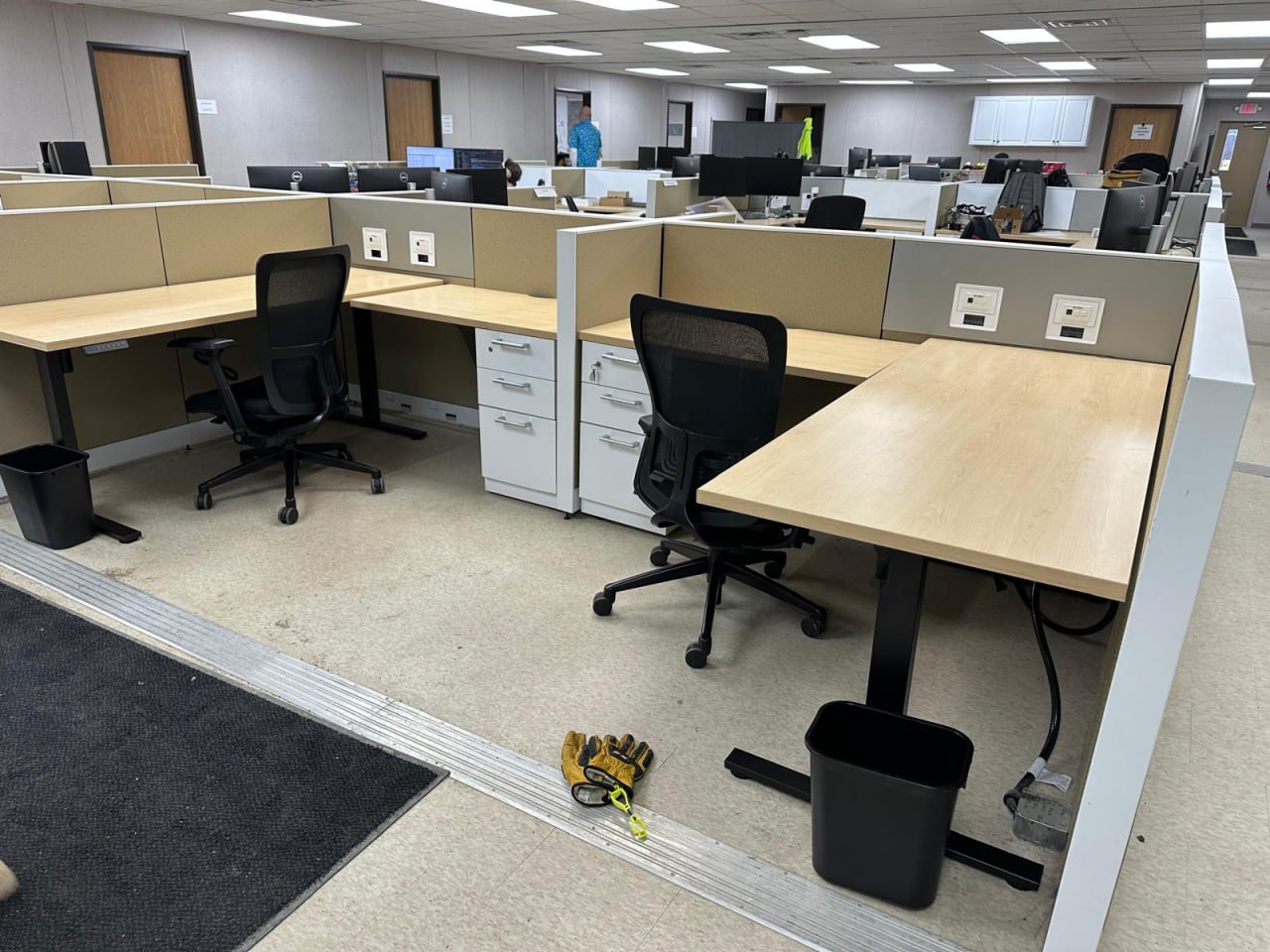
Moving office technology requires a different level of planning than moving standard furniture. Computers, monitors, printers, network equipment and other workplace devices need to arrive at the correct location, remain organized and be coordinated with the people responsible for the company’s technology.
Manova Services provides physical IT and office equipment moving support for businesses throughout New Jersey. Whether the equipment is moving across the office or to a new commercial location, we help organize the relocation around the equipment involved, building access, destination and overall moving schedule.
Before the project begins, responsibilities for shutdown, data backup, disconnecting, reconnecting, configuration and testing should be clearly established so everyone understands what is included in the move.
Equipment Moving Planned Around Your Technology Team
Technology relocation works best when the moving team and the people responsible for the company’s IT systems understand their roles before moving day.
For some businesses, internal IT employees handle shutdown, disconnection and setup while the moving team handles physical transportation and placement.
Other projects may involve an outside IT provider or equipment vendor.
Before scheduling the move, we identify the equipment included in the project, where it needs to go and which responsibilities belong to Manova Services, the client or another service provider.
This helps prevent assumptions about who is responsible for disconnecting, configuring or testing equipment after it arrives.
IT & Office Equipment We Can Help Move
Desktop Computers & Monitors
Employee workstations may include desktop computers, monitors, docking stations and other approved equipment that needs to move with the employee or department.
Equipment included in the project should be identified and organized before transportation so it can be placed in the appropriate area at the destination.
Printers & Office Devices
Printers, scanners and other office devices may be included depending on their size, condition and project requirements.
Larger or specialized equipment should be identified in advance so we can determine whether it falls within the project scope or requires assistance from the manufacturer or another specialist.
Network & Server Equipment
Network and server equipment requires careful coordination with the company’s IT professionals.
When physical transportation of approved equipment is included, responsibilities for shutdown, disconnection, preparation, reconnection and testing should be determined before moving day.
Specialized server-room or data-center projects should be reviewed individually before the project is accepted.
Phones & Workplace Technology
Approved phones, conferencing devices and other workplace technology may also need to move during an office relocation.
The equipment should be identified before the move, and responsibility for configuration or activation at the destination should be established separately.
Specialized Business Equipment
Some offices contain equipment that falls outside a typical commercial move.
Tell us about any unusually large, sensitive, regulated or manufacturer-specific equipment during the initial project discussion.
Depending on the item, we may be able to include physical relocation in the scope, or the equipment may need to be handled by the manufacturer, an authorized technician or another qualified specialist.
Our IT & Equipment Moving Process
1. Identify the Equipment
Start by identifying what equipment will be moved, where it is currently located and where it needs to go.
Photos, approximate quantities and equipment information can help us understand the project during the initial discussion.
2. Establish Responsibilities
Before moving day, determine who will be responsible for shutdown, data backup, disconnecting, reconnecting, configuration and post-move testing.
These responsibilities should not be assumed.
If your company has an internal IT team or outside provider, their requirements should be discussed during project planning.
3. Review the Locations
Depending on the project, the current location, destination, access points and equipment areas may need to be reviewed.
This helps identify elevators, loading areas, stairs, narrow access points or other conditions that may affect transportation.
4. Organize the Equipment
Equipment should be organized so the destination of each approved item is clear.
For larger office moves, coordinating equipment with employee, department or room assignments can make placement at the new location more efficient.
5. Physical Relocation
Approved equipment included in the scope is transported to the destination according to the project plan.
Items requiring manufacturer-specific preparation or specialized handling should be identified before transportation begins.
6. Placement at the Destination
Equipment is placed in the agreed destination area so the client’s IT staff or other responsible provider can continue with reconnection, configuration and testing when those services are not included in the Manova scope.
7. Final Review
After the physical relocation is complete, the agreed equipment-moving scope should be reviewed to identify any remaining items that require attention.
Protecting Business Continuity During an Equipment Move
For many businesses, technology is one of the biggest concerns during an office relocation because employees depend on it to work.
The best way to reduce unnecessary disruption is to determine responsibilities and timing before moving day.
Your business should know:
- When equipment will be shut down
- Who is responsible for data backup
- Who will disconnect each system
- Which equipment is moving
- Where each item belongs at the destination
- Who will reconnect the equipment
- Who will configure network or system settings
- Who will test equipment after the move
- When employees need access to their workstations again Those decisions may involve Manova Services, your internal IT team, an outside IT provider or equipment manufacturers depending on the project.
IT Equipment as Part of an Office Relocation
Equipment moving is often only one part of a larger office relocation.
Desks and workstations may need to be disassembled before technology can be removed. At the destination, furniture may need to be installed before computers and monitors can be returned to their work areas.
When Manova Services is handling multiple parts of the relocation, the furniture and equipment stages can be considered together when developing the project sequence.
Tell us which services are involved so we can better understand what needs to happen before and after the equipment is physically moved.
Preparing Equipment Before Moving Day
Your IT team or technology provider should determine the appropriate shutdown and preparation procedures for your equipment.
Before the scheduled move, businesses should also identify:
- Equipment that is moving
- Equipment that will remain behind
- Equipment that is being replaced or removed
- Destination room, desk or department
- Equipment requiring special handling
- Manufacturer or vendor requirements
- Who will disconnect each system
- Who will reconnect and configure equipment
- Building access requirements
- Target time for systems to be available again Planning these details ahead of time helps create a clearer relocation scope.
When Specialized Equipment Requires Another Provider
Not every piece of technology should be treated like standard office equipment.
Medical devices, laboratory equipment, industrial machinery, certain server systems and manufacturer-controlled equipment may require specialized preparation, calibration, transportation or installation.
Tell us about those items before requesting the final scope.
We can review the physical moving requirements and determine whether the item fits within our services or whether a manufacturer, authorized technician or specialty equipment mover should be involved.
Being clear about that distinction protects both the equipment and the overall project.
Building Access & Moving Requirements
Commercial properties may have procedures affecting when and how equipment can be moved.
Freight elevators, loading areas, parking, contractor access, permitted working hours and insurance documentation may all need to be coordinated before moving day.
If the property manager has moving instructions, provide them during project planning so those requirements can be considered before the scheduled relocation.
Related Commercial Moving & Office Services
IT and equipment moving often takes place alongside other commercial relocation services.
Manova Services also provides:
- Office Relocation
- Office Furniture Installation
- Disassembly & Reassembly
- Warehousing & Storage
- Decommissioning & Liquidation
- White-Glove Moving
- Short-Notice Moving Support If several services are part of the same project, tell us during the initial discussion so the overall relocation can be evaluated together.
IT & Equipment Moving Throughout New Jersey
Manova Services is based in North Brunswick and provides commercial equipment moving and related office relocation services for businesses in New Jersey.
Project availability depends on the equipment involved, origin and destination, access conditions, project size and scheduling requirements.
Tell us what equipment needs to move, where it is currently located and where it needs to go so we can determine whether the project fits our services and what the next step should be.
Frequently Asked Questions About IT & Equipment Moving
Can Manova Services move computers and monitors?
Physical transportation of approved computers, monitors and related office equipment can be included depending on the project scope.
Responsibilities for shutdown, backup, disconnection, reconnection and configuration should be established separately before moving day.
Does Manova disconnect and reconnect our computers?
That depends on the agreed project scope and the type of equipment involved.
Many businesses prefer their internal IT department or technology provider to handle disconnection, configuration and testing while Manova Services handles the physical relocation.
Those responsibilities should be confirmed before the move.
Can you move servers or network equipment?
Physical relocation of certain approved network or server equipment may be possible, but these projects need to be reviewed individually.
Shutdown procedures, data protection, disconnection, reconnection and testing should be coordinated with the business’s qualified IT professionals.
Can equipment moving be included with our office relocation?
Yes. Equipment moving can be evaluated as part of a larger office relocation together with furniture moving, disassembly, installation and other related services.
How should we prepare our computers before moving?
Your IT department or technology provider should determine the appropriate shutdown, backup and equipment-preparation procedures.
The moving plan should also identify where each item needs to go at the destination.
Can you move specialized medical or laboratory equipment?
Specialized or regulated equipment must be reviewed before the project is accepted.
Some items may require manufacturer-approved preparation, specialty transportation, calibration or technicians and may fall outside the scope of standard commercial moving services.
Who tests the equipment after the move?
Responsibility for post-move testing should be established before the project begins.
Unless testing is specifically included in the agreed scope, businesses should plan for their internal IT team, technology provider or equipment vendor to verify system operation.
Can you move equipment after normal business hours?
Scheduling depends on project requirements, crew availability and building access.
If evening or weekend scheduling is important, include that information when requesting an estimate.
Planning an IT or Office Equipment Move?
Tell us what equipment needs to be relocated, where it is moving from, where it is going and who will be responsible for the technical portions of the transition.
Manova Services can review the physical moving requirements and help determine how the equipment relocation fits into your larger office move.